
MOTORMIA: Tune & Mod Your Ride
MOTORMIAAuto & Vehicles
4.6199.00 Reviews
- Version
- 3.8.2
- Installs
- 100.00K
- Age Rating
- Everyone
Screenshots
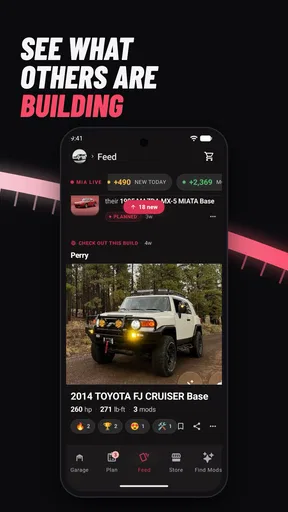
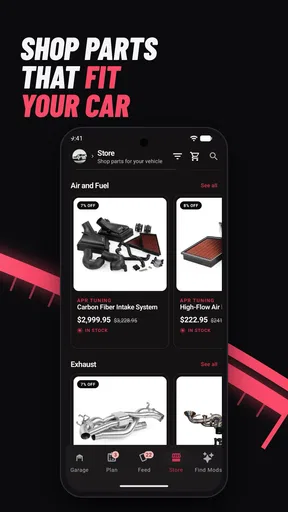
Our Review of MOTORMIA: Tune & Mod Your Ride
 Analysis by Appyee
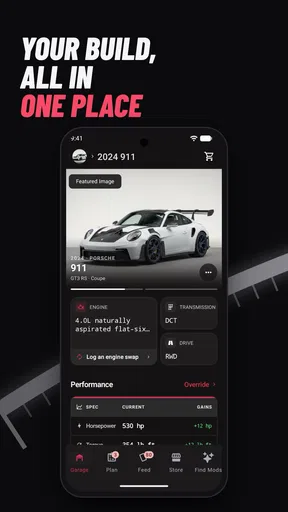
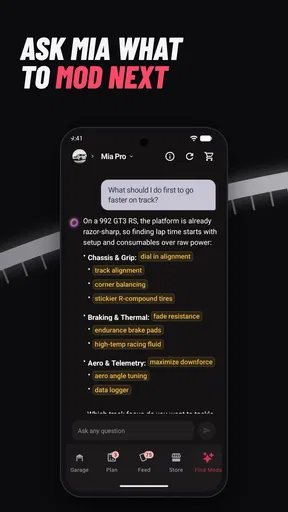
When a car modification idea starts as a quick conversation at home, it can become surprisingly difficult to turn into a sensible shopping list. One person may want a sharper-looking exterior, another may care about performance, and someone else may be thinking about cost, comfort, or whether the vehicle will still be practical every day. I found MOTORMIA: Tune & Mod Your Ride useful in that exact kind of situation because it gives those conversations a more focused starting point. Instead of browsing random parts and trying to work out what might suit a particular car, I could approach modifications as a personalized discovery process.
This free Auto & Vehicles app comes from MOTORMIA and is built around AI-assisted suggestions for car modifications, parts, and performance upgrades. Its average rating is 4.6 from around 900 ratings, while its install count has passed 50 thousand. Those figures suggest that it has found an audience beyond people who only want to admire modified cars online. I see its strongest role as a planning companion: something to open before buying anything, while discussing ideas with another driver, or when you need help narrowing a huge range of possible upgrades.
How MOTORMIA fits into a shared car decision
A realistic household example is easy to imagine. One driver uses the car for commuting, while another is more interested in making it look distinctive or improving how it feels on weekend trips. Opening the app together can make the discussion less abstract. Rather than saying “I want it to look sportier,” you can explore the type of change you have in mind and use the resulting direction to discuss what is actually worthwhile.
That shared use is important because modifications are rarely an individual decision when a vehicle belongs to a household. A change that looks exciting in a photo may be inconvenient for a daily driver. A performance-focused idea may be less appealing to someone who values quiet, predictable driving. I would use the app before any purchase, with both people looking at the same recommendations and separating inspiration from a final decision.
The AI angle is most helpful when you already have a rough goal but do not know the vocabulary needed to search effectively. Newcomers often recognize the result they want without knowing which parts create it. MOTORMIA can help translate that broad intention into possible directions, which is more approachable than starting with specialist forums, retailer catalogs, or scattered social media posts.
At the same time, I would not treat an AI suggestion as an installation instruction. Vehicle compatibility, local rules, insurance implications, warranty concerns, and professional fitting still need separate attention. The app is valuable at the exploration stage, not as a replacement for a qualified mechanic or a careful parts check.
Starting with a clear household brief
The best results come from agreeing on the brief before opening the app. Decide whether the priority is appearance, handling, acceleration, sound, comfort, or a balanced combination. Also decide what must remain unchanged. For a shared family vehicle, that might include boot space, ride comfort, fuel economy, easy parking, or suitability for longer journeys.
This simple preparation is one of the most useful ways to avoid being distracted by dramatic ideas. If the car is used for school runs and commuting, an aggressive-looking concept may not be the right direction even if it is visually appealing. If the vehicle is mainly a second car, the household may be more comfortable exploring a bolder theme. MOTORMIA becomes more useful when the people using it know which compromises they are willing to make.
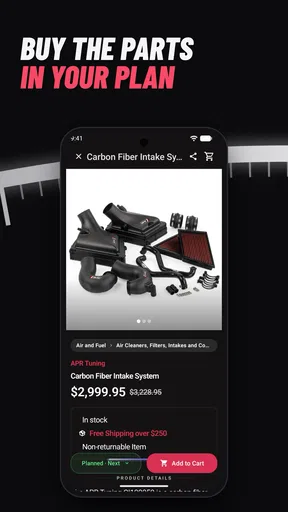
I also recommend discussing a budget range without assuming the app itself provides a complete ownership cost. A suggested upgrade may involve more than the part: fitting, maintenance, supporting components, and possible changes to insurance can all matter. Treat the app’s output as a shortlist for research, then verify each item through a reputable seller or technician.
Keeping setup decisions within sensible boundaries
The setup stage should be approached with a little discipline. If several people use the same device, I would avoid entering personal details that are not needed for the vehicle discussion. Keep the session focused on the car, its intended use, and the modification goals. This makes it easier for another household member to understand what was considered and why.
There is also a practical account boundary to think about. A shared phone or tablet can blur who made a search and which preferences influenced it. I would not assume that one person’s exploration represents the entire household. If two drivers have different priorities, run separate explorations and compare the outcomes rather than trying to force one set of preferences to satisfy everyone.
That approach is especially helpful when the app is being used by a younger enthusiast alongside an older driver. The younger user may be more interested in visual changes or performance, while the person responsible for the vehicle may be thinking about safety, legality, and running costs. Keeping those roles clear prevents an appealing recommendation from being mistaken for permission to buy or install it.
MOTORMIA is free, which removes an obvious barrier to trying it as a group. I would still make the financial boundary clear: free access to an idea-finding tool does not mean the recommended project will be inexpensive. The app can help shape the plan, but the household should agree on spending before moving from suggestions to orders.
Using recommendations to coordinate rather than argue
One of the app’s less obvious strengths is that it can give a household a common reference point. Car modification discussions often become vague because each person imagines a different result. A more structured exploration makes it easier to say, “This is the style we mean,” or “This upgrade supports the goal, but it may work against comfort.”
I would save or note the most promising ideas immediately after a session, including the reason each one made the shortlist. That reason matters more than the name of the part. For example, an idea might be attractive because it changes the car’s appearance without affecting everyday usability, while another might be chosen because it supports handling but requires more careful consideration. Recording that distinction prevents the household from later remembering only the exciting part.
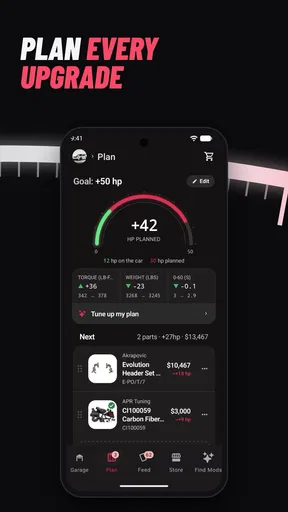
Another useful workflow is to divide the project into stages. Start with changes that are easy to evaluate visually or practically, then pause before adding more. This avoids spending on several modifications at once and discovering that the combined result is not comfortable or cohesive. MOTORMIA is well suited to generating possibilities, but the final plan benefits from a slower, staged approach.
For a shared car, I would also ask who will live with the consequences of each change. A louder exhaust, firmer suspension, darker visual treatment, or altered seating position may appeal to one person but affect every passenger. Even when a recommendation sounds personalized, the decision should be tested against the vehicle’s real role in the household.
What younger users should understand before acting
The app carries an Everyone age rating, so it is approachable for a broad audience. That does not remove the need for adult guidance around real-world modifications. A young user can safely use it for design ideas and learning, but buying parts, changing mechanical systems, or arranging installation should remain a responsible decision made with the vehicle owner.
This distinction is worth making because the language of performance upgrades can sound more straightforward than the work actually is. A suggestion may lead to questions about compatibility, roadworthiness, noise, emissions, or insurance. Those questions are not reasons to avoid exploring; they are reasons to keep exploration and execution separate.
In a household setting, trust works better when the app is used openly. I would encourage younger enthusiasts to present a shortlist with an explanation of the intended benefit, the possible compromise, and the checks still required. That turns the app into a learning tool instead of a shortcut around an adult’s decision.
For older users who are less familiar with car culture, the app can make the subject less intimidating. They do not need to know every specialist term before discussing what they want from the vehicle. However, they should feel comfortable rejecting an idea that does not fit their needs. A personalized suggestion is still only a suggestion, and the owner’s practical priorities should carry more weight than novelty.
Where the app is stronger than ordinary browsing
The usual alternative is to search retailer sites, browse forums, watch modification videos, or scroll through social media builds. Those sources can be excellent for detailed experience and visual inspiration, but they often assume that the reader already knows what to search for. They can also encourage people to copy a finished build without understanding the compromises behind it.
MOTORMIA is more useful at the beginning, when the problem is not “Which exact product should I buy?” but “Which direction makes sense for my car and my goals?” Its personalized, AI-powered approach can reduce the number of disconnected searches needed to form an initial plan. That is particularly helpful for someone who knows they want a more individual car but does not yet have a defined modification vocabulary.
Traditional sources remain better for verification. A specialist forum may provide long-term ownership feedback, a retailer may show exact fitment information, and a mechanic can judge whether a change is appropriate for the vehicle’s condition. I would combine those resources rather than choosing one over the others: use MOTORMIA for direction, then use human and technical sources for confirmation.
The app is also not the right choice for someone who already has a precise part number and only needs the cheapest verified supplier. In that situation, a direct retailer search is faster. It is less suitable for a mechanic who needs authoritative technical specifications rather than personalized inspiration. Its value is highest when the decision is still open and the user wants help organizing possibilities.
Three practical habits that improve the experience
First, describe the desired result in everyday terms before looking for parts. “More comfortable on long drives” leads to a very different conversation from “make it look aggressive.” This helps keep the exploration tied to a real use case instead of letting the most dramatic option dominate.
Second, compare recommendations against the car’s routine, not just its appearance. A household vehicle that carries passengers, luggage, or equipment needs a different standard from a weekend project. Ask whether the proposed change affects access, visibility, comfort, maintenance, or the ability to use the car in ordinary weather. This is the kind of judgment an app cannot make for the family without context.
Third, create a verification pause. Before anyone orders anything, check the exact vehicle details, the part’s compatibility, the installation requirements, and the consequences for legal use and insurance. If the household cannot explain what the modification changes and why it is suitable, the idea is not ready to move forward. This pause is a strength, not a failure of the app, because responsible modification always needs a real-world check.
Performance ideas need extra caution
Performance upgrades deserve more scrutiny than cosmetic changes. A visual alteration may still affect practicality, but changes involving power, braking, suspension, wheels, or exhaust can influence how the car behaves and how it must be maintained. I would use MOTORMIA to explore the category, then ask a qualified professional what supporting work and inspection might be needed.
This is where the app’s friendly discovery format can create a small risk: an approachable suggestion may make a complex project feel simple. The answer is not to ignore the recommendation, but to treat it as the first question in a longer process. What is the intended benefit? What changes elsewhere? Is the vehicle suitable? What will the total project involve? Those questions should be answered before spending money.
For shared use, performance decisions should also include the least enthusiastic driver. If one person wants a sharper response but another regularly drives passengers, the acceptable balance may be different from the driver’s personal preference. A good household plan is not necessarily the most extreme one; it is the one everyone can use comfortably and responsibly.
Version, availability, and everyday practicality
The current version is 3.6.3, and the app requires Android 7.0 or later. That makes the technical entry point relatively accessible for users with older Android devices, although the quality of the experience will still depend on the phone or tablet being used. Before planning a group session, I would make sure the device is updated enough to run the app smoothly and that everyone can see the same information clearly.
Because the app is designed for exploration, I would use it when I have enough time to think rather than while standing in a parts shop. A calm session makes it easier to compare ideas, question assumptions, and discuss the result with another driver. It is less useful as a rushed answer to “What should I buy right now?”
The free price also makes it practical for trying several approaches without committing immediately. That is valuable for households that are still deciding whether a modification project is worthwhile. Even so, I would keep the app’s role clearly separate from the purchase stage: it helps form a direction, while compatibility and final cost require additional work.
Who will appreciate it, and who should skip it
I would recommend MOTORMIA to a new enthusiast who wants a clearer way into car modification, to a driver comparing cosmetic and performance directions, and to households trying to agree on a sensible project. It is particularly helpful when several people have opinions but lack a shared vocabulary for discussing the car.
I would be more cautious about recommending it to someone seeking exact engineering guidance, guaranteed fitment, or a complete project quote. It should not be the only source used for safety-critical decisions. Experienced modifiers may also find it less valuable if they already know the precise parts and specifications they want.
The app is also a poor fit when the household is not ready to discuss compromises. If one person expects a dramatic transformation and another needs the car to remain quiet, comfortable, and inexpensive to run, no recommendation engine can solve that disagreement by itself. The tool can clarify options, but it cannot replace agreement between the people who share the vehicle.
My household verdict
I see MOTORMIA as a useful first step rather than a complete modification authority. Its main contribution is helping turn a vague wish into a more organized set of possibilities, which is especially helpful when a car is shared and different users care about different outcomes. The AI-assisted approach makes the early research feel less demanding than starting with specialist terminology or endless product pages.
My strongest recommendation is to use it collaboratively: define the car’s everyday role, explore ideas, record why a suggestion appeals, and then verify every serious option outside the app before buying or fitting it. That workflow keeps the creative side enjoyable while protecting the practical side of the decision.
For a free app in the Auto & Vehicles category, it offers a worthwhile way to begin thinking about personalized parts and upgrades. I would install it for the discovery phase, especially if I were discussing a project with another driver at home. I would not let it make the final call on safety, legality, compatibility, or household spending. Used with those boundaries, MOTORMIA: Tune & Mod Your Ride is a genuinely approachable companion for planning a car that feels more personal without losing sight of how that car actually needs to serve its owners.
Privacy and Permissions
See what permissions an app requests and how it handles your data.
- Photos/Media/Files
- read the contents of your USB storage, modify or delete the contents of your USB storage
- Storage
- read the contents of your USB storage, modify or delete the contents of your USB storage
- Camera
- take pictures and videos
- Microphone
- record audio
- Wi-Fi connection information
- view Wi-Fi connections
- Other
- view network connections, full network access, run at startup, draw over other apps, control vibration, prevent device from sleeping, Google Play license check
Verdict
Strengths of MOTORMIA: Tune & Mod Your Ride
- Extensive tuning options let you personalize performance and appearance.
- Simple controls make it easy to experiment with different vehicle setups.
- Wide range of upgrade combinations encourages creative builds.
- Short races are convenient for quick gaming sessions.
- Stylish vehicle designs and effects make customized rides stand out.
Limitations of MOTORMIA: Tune & Mod Your Ride
- Some upgrades may require significant grinding or in-app purchases.
- Progress can feel repetitive once most tuning options are unlocked.
- Performance changes are not always clearly explained to players.
- Older or budget devices may experience occasional lag or loading delays.
- Limited guidance can make advanced modifications confusing for beginners.
Similar Picks in This Category
View All
Android Auto
Google LLC4.1

maxim — order a taxi & food
PT. SITO4.7

Штрафы ГИБДД: проверка с фото
Pays LLC – Штрафы ГИБДД4.7

Номерограм – проверка авто
Авто Ассист4.8

Дром Авто
Дром4.9

Frequently Asked Questions
What is MOTORMIA: Tune & Mod Your Ride?
MOTORMIA: Tune & Mod Your Ride is a car customization and driving game focused on building, styling, and modifying virtual vehicles. Players can personalize their rides with different visual parts, performance upgrades, paint options, wheels, and other tuning elements. The game is aimed at users who enjoy experimenting with car designs and creating a garage that reflects their preferred style rather than simply completing traditional racing events.
Can I customize cars extensively in MOTORMIA?
Customization is one of the main attractions of MOTORMIA. The game lets you change several aspects of a vehicle, including body appearance, colors, wheels, accessories, and performance-related components, depending on what has been unlocked. This gives players room to create anything from a clean street build to a more aggressive modified car. Some items may require progression, in-game currency, or optional purchases.
Does MOTORMIA: Tune & Mod Your Ride require an internet connection?
The connection requirements may vary according to the feature you are using and the version installed on your device. Basic garage or customization activities may be available without a constant connection, but online content, advertisements, cloud features, events, updates, or account-related functions can require internet access. It is recommended to launch the game online after installation so its files and available content can load correctly.
Is MOTORMIA free to download and play?
MOTORMIA can generally be downloaded without an upfront purchase, allowing users to try its customization and driving features before spending money. However, free access may include advertisements, time-based limitations, unlockable content, or optional in-app purchases for currency, vehicles, upgrades, and cosmetic items. Players should review the store listing and purchase settings, especially if children may use the device.
What devices are compatible with MOTORMIA, and is it suitable for beginners?
Compatibility depends on the operating system, device model, available storage, and the minimum software version listed on the Google Play Store or Apple App Store. Newer phones and tablets usually provide smoother graphics and shorter loading times. The game is approachable for beginners because customization can be explored at the player’s own pace, although collecting every vehicle or upgrade may require patience and regular progression.
